Finance & document management

Automate delivery notes and invoices and control your profitability

Digitize delivery notes, receipts and invoices with PrezIA, Prezo's own technology. Compare what you ordered with what you received, spot discrepancies and connect the information to your accounting system.

Prezo is a financial software for restaurants that automates admin work and turns purchase documents into useful information to control costs, inventory and profitability.

Request demo
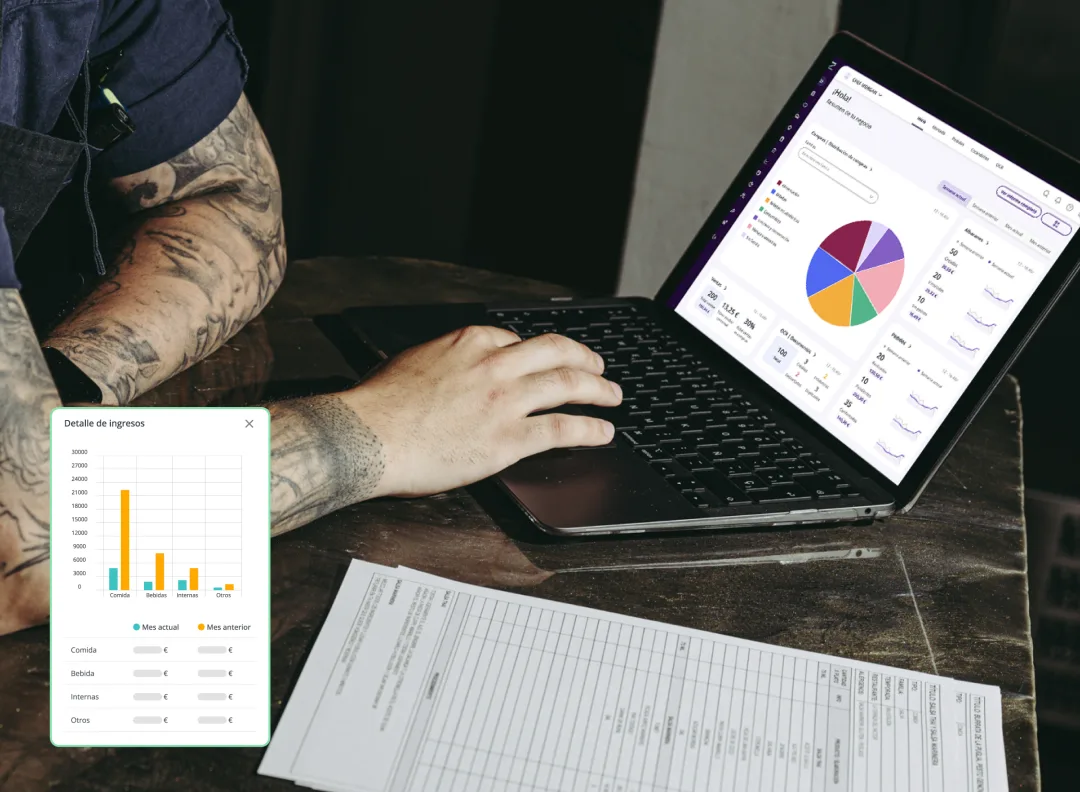
Automate delivery notes and invoices and control your profitability

PrezIA

Digitize delivery notes and invoices automatically

PrezIA interprets real documents from the HORECA sector and turns their information into data.

Prezo's document recognition technology can process invoices, delivery notes and receipts.
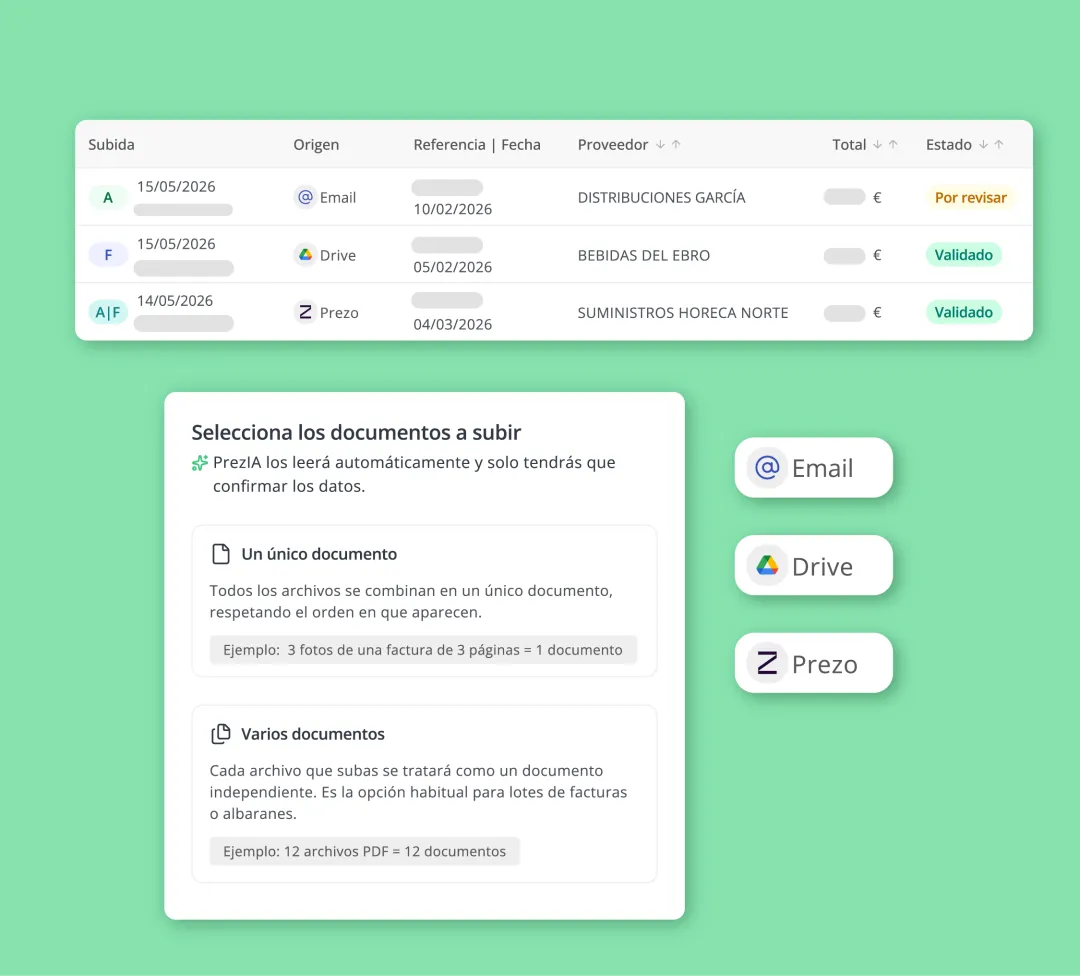
  • Capture from different channelsProcess documents received by email, from the cloud or those you upload directly to Prezo yourself.
  • Reading HORECA documentsIt interprets the formats commonly used by hospitality suppliers.
  • Automatic data extractionIt identifies products, quantities, prices and other relevant information without having to type it in.
  • New data detectionIt identifies possible new products or suppliers and makes it easy to add them while keeping control over your master data.
  • Less admin workIt cuts the time spent reviewing, copying and recording document information.
Digitize delivery notes and invoices automatically

Delivery notes & receipts

Check that what you ordered matches what you received

Prezo automatically cross-checks orders against delivery notes to identify differences before they affect your costs.

It also lets you record purchase receipts and connect every product intake with the rest of the operation.
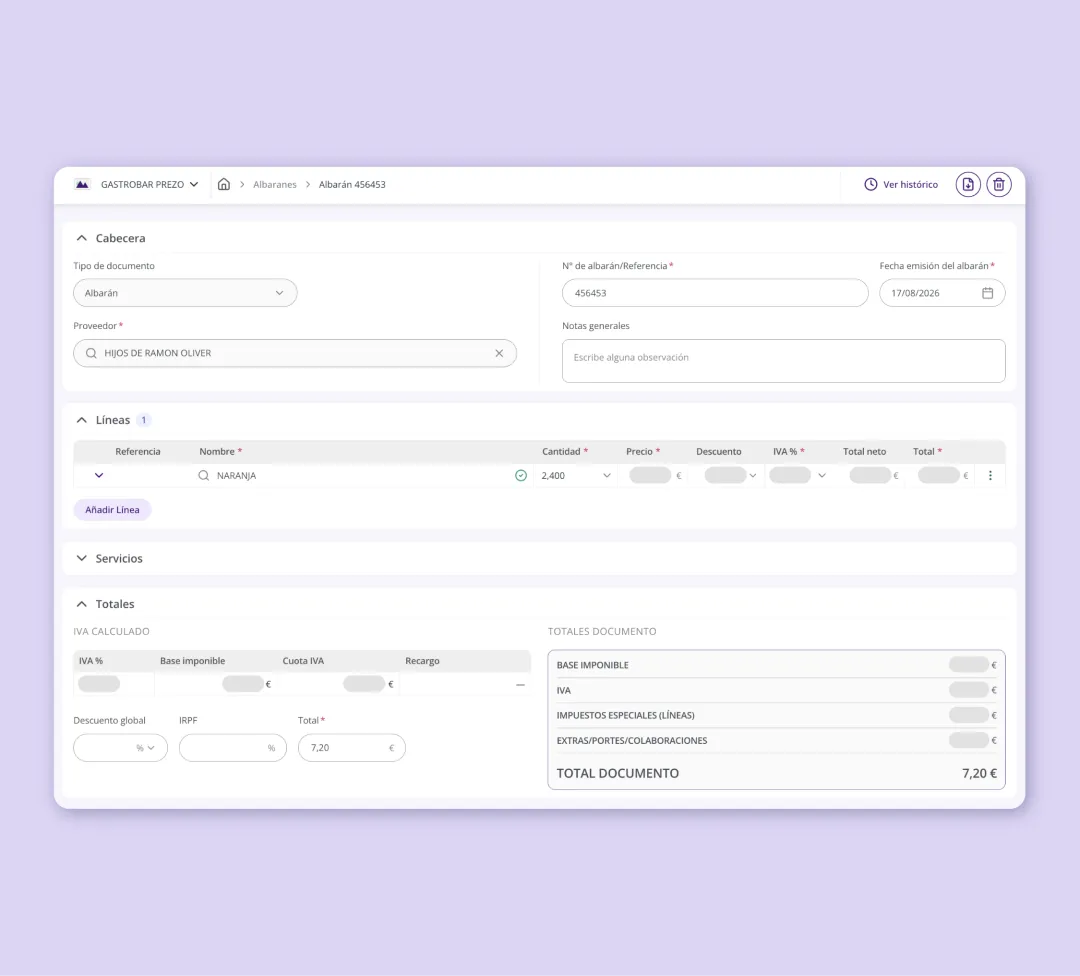
  • Order vs delivery note comparisonCheck whether the products and quantities received match what was requested.
  • Deviation alertsSpot price changes, wrong quantities or different products.
  • Inventory updateEach recorded delivery note can update the corresponding stock intakes.
  • Food cost updateNew purchase costs carry over to the connected recipe cost cards.
  • TraceabilityIt captures information about batches and expiry dates when the document includes it.
Check that what you ordered matches what you received

Invoices & reconciliation

Avoid invoice errors and stop overpaying

PrezIA compares each invoice with its related delivery notes to check that products, quantities and prices match.

That way the team only has to review the documents where a discrepancy has been found.
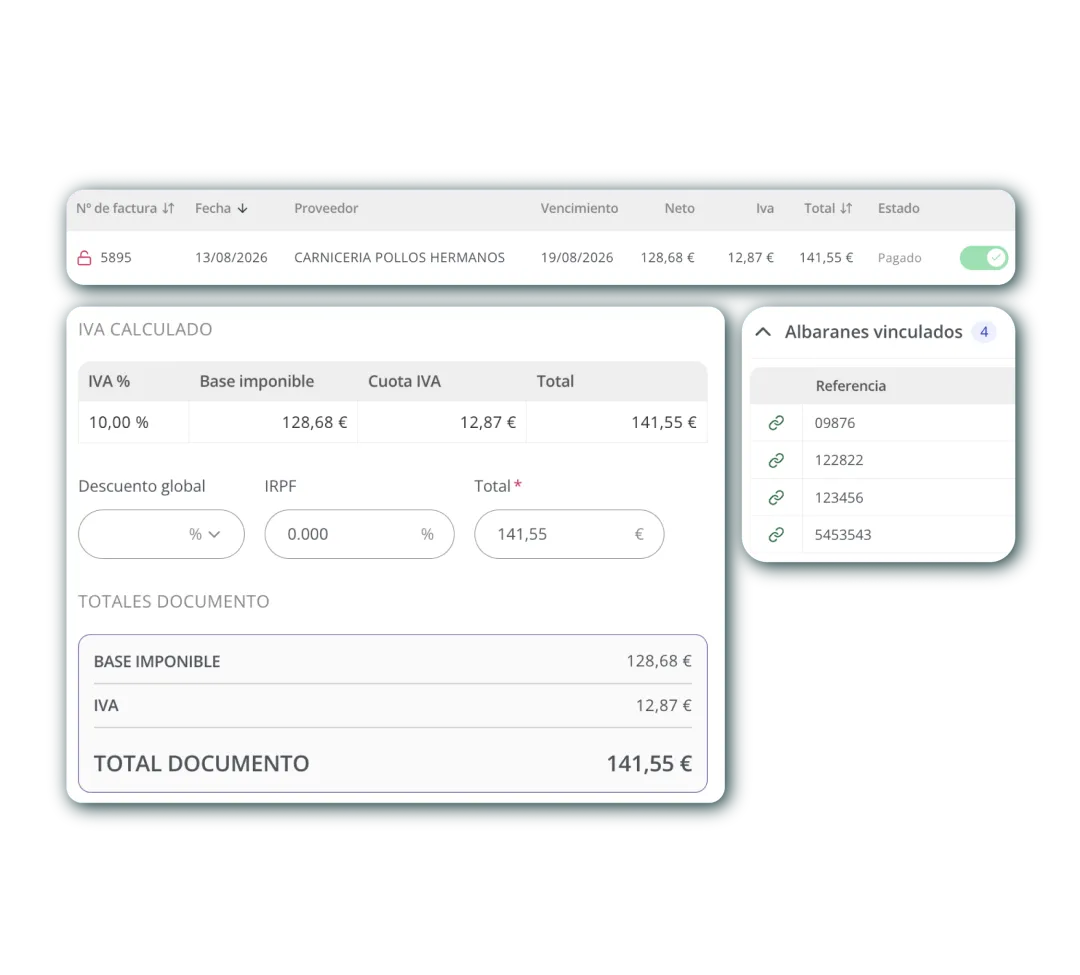
  • Smart invoice inboxCentralize invoices in PDF and other digital formats.
  • Reconciliation between invoices and delivery notesCross-check the information of each invoice with the corresponding receipt documents.
  • Difference detectionIt identifies discrepancies in prices, quantities and products.
  • Control before paymentIt lets you review the issues before authorizing the supplier payment.
  • Document historyIt keeps orders, delivery notes and invoices connected for easy reference.
Avoid invoice errors and stop overpaying

Profitability report

Know your restaurant's real profitability

Integrate your POS sales with all the costs and expenses recorded in Prezo to compare your revenue with your costs and understand your restaurant's real profitability.

Check the relationship between sales, purchases and operating result.

Analyze how much food, drink and other costs represent over revenue.

Spot which families are the most profitable and which are eroding the margin.

Compare how results evolve across different months or periods.
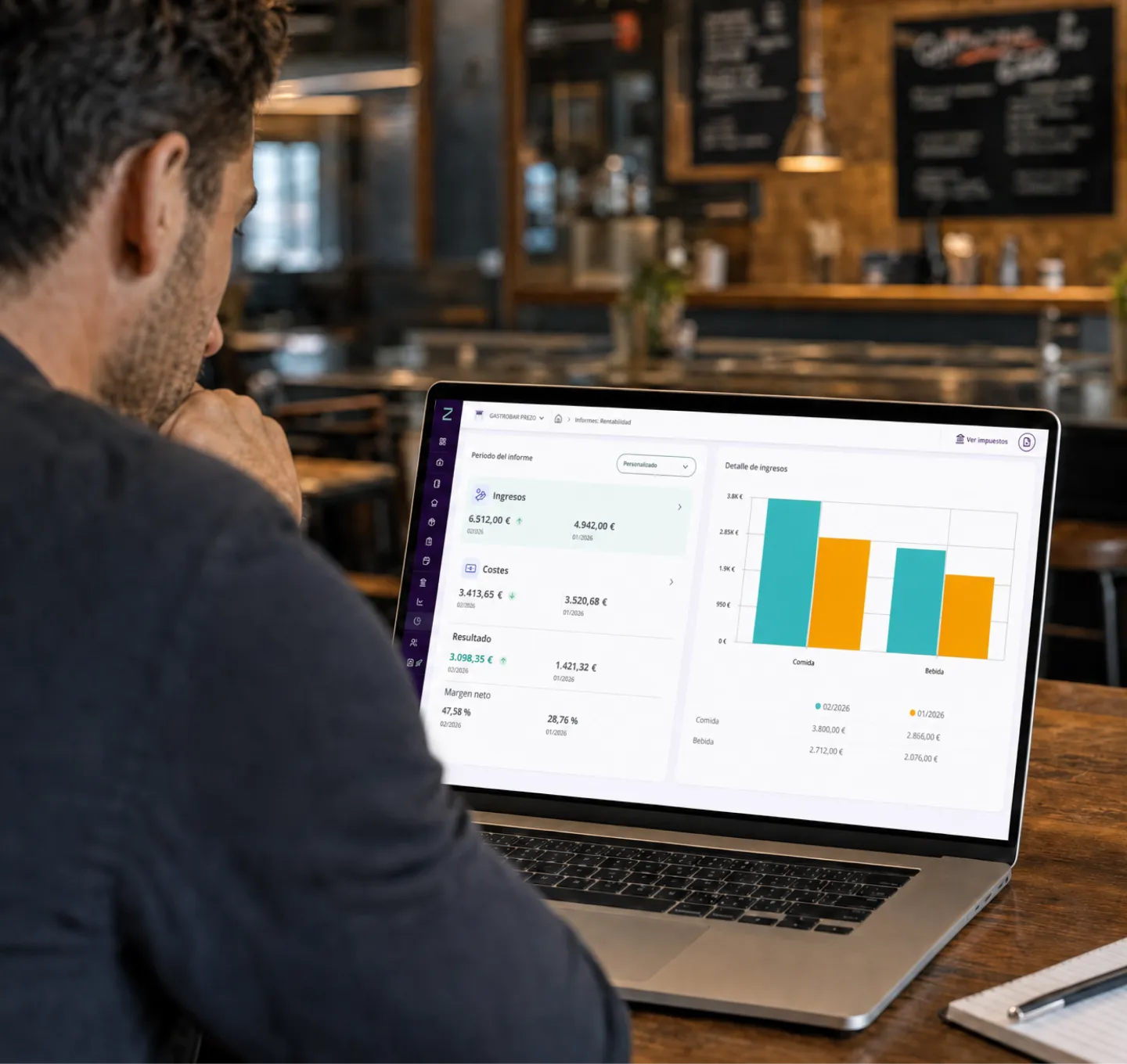
Know your restaurant's real profitability

Bank reconciliation

Reconcile your invoices with the bank and make sure everything adds up

Automatic bank reconciliation

Matches invoices to bank transactions with PrezIA, no manual review.

Payment and receipt control

Check that every invoice matches its bank transaction, even when you pay several in one batch.

Error and mismatch detection

Spot duplicates, mismatches or incorrect charges from suppliers.

Full visibility

See which invoices are outstanding, paid or reconciled and stay on top of what goes in and out.

Financial traceability

Invoices and bank transactions in a single flow, easy to follow and look up.

Treasury, payment forecasting and batch payments

Plan payments ahead and control your cash flow

See your upcoming payments and how they affect your cash flow. Plan payments ahead and keep a clear view of your treasury.
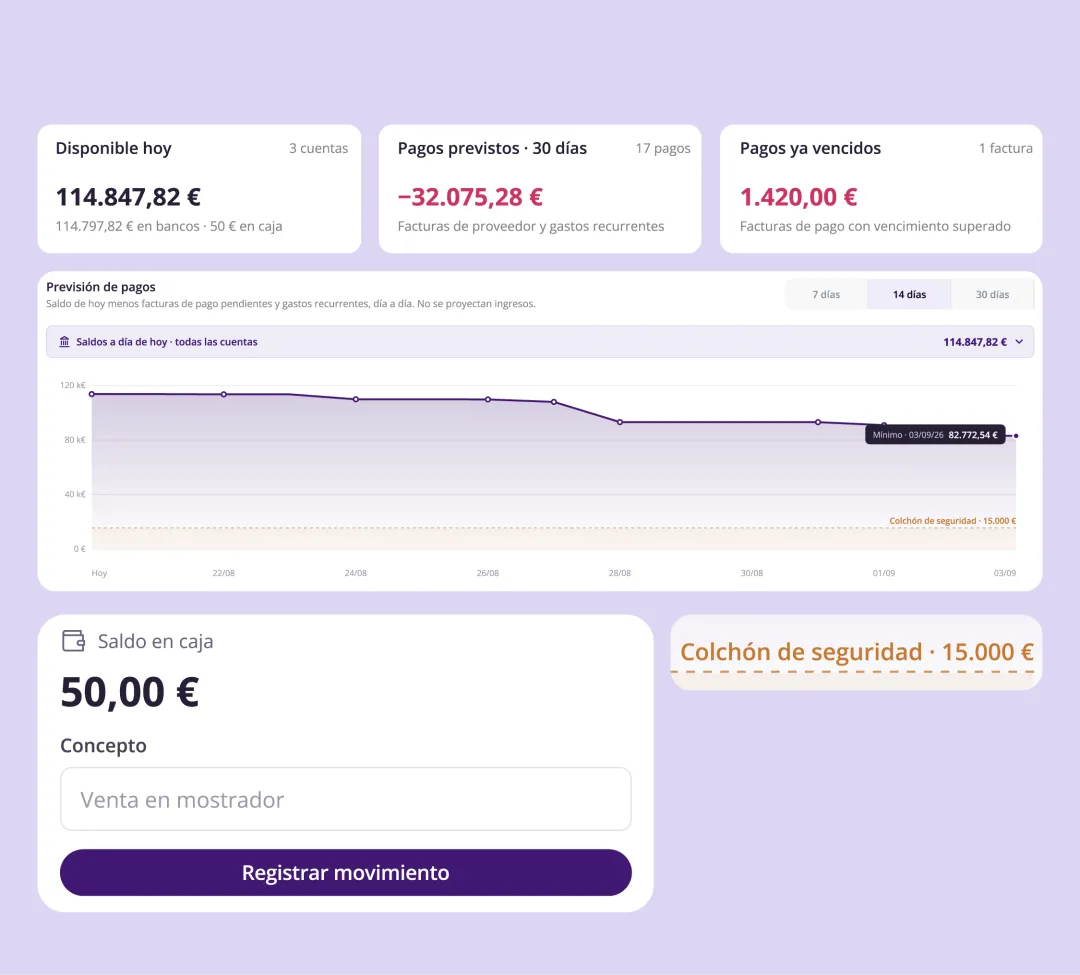
  • Payment forecastPrezo works out when you’ll actually pay each invoice, based on your payment terms, general or by supplier, and your usual payment day.
  • Batch paymentsSelect several invoices and download a batch payment file ready to send to your bank. Then reconcile the transactions with their invoices.
  • Cash flowFollow your cash flow day by day.
  • Due date controlCheck when each invoice falls due and get ahead of the next payments.
  • Treasury planningAvoid liquidity problems and make decisions in advance.
Plan payments ahead and control your cash flow

Integrations

Connect the information with your accounting system

Prezo can integrate with ERP systems and accounting tools to cut admin work and avoid duplicating data.

Prezo integrates with management software for restaurants: ERP, POS, accounting and BI.

  • Square
  • Agora
  • Wolters Kluwer
  • Last
  • Holded
  • Tipsi TPV
  • Central Cash
  • Contasimple
  • Revo Cegid
  • 314
  • Loomis Pay
  • Atecresa
  • BDP
  • Del Sol
  • Loyverse
  • Sage
  • SumUp
  • Sofyman
  • Power BI
  • GestorSII
  • Iavanza
  • Cuiner
  • Hiopos
  • Ticksy
  • Numier
  • Mews
  • Prezo integration with Square
  • Prezo integration with Agora
  • Prezo integration with Wolters Kluwer
  • Prezo integration with Last
  • Prezo integration with Holded
  • Prezo integration with Tipsi TPV
  • Prezo integration with Central Cash
  • Prezo integration with Contasimple
  • Prezo integration with Revo Cegid
  • Prezo integration with 314
  • Prezo integration with Loomis Pay
  • Prezo integration with Atecresa
  • Prezo integration with BDP
  • Prezo integration with Del Sol
  • Prezo integration with Loyverse
  • Prezo integration with Sage
  • Prezo integration with SumUp
  • Prezo integration with Sofyman
  • Prezo integration with Power BI
  • Prezo integration with GestorSII
  • Prezo integration with Iavanza
  • Prezo integration with Cuiner
  • Prezo integration with Hiopos
  • Prezo integration with Ticksy
  • Prezo integration with Numier
  • Prezo integration with Mews

Less manual work. More control over your costs.

Prezo connects orders, delivery notes, invoices, inventory and accounting so that financial information is never cut off from the restaurant's daily running. Automate document management, catch errors before payment and make decisions with up-to-date data.

Find out how

Frequently Asked Questions

Everything you want to know about Finance

Supplier invoices, delivery notes and receipts. They can arrive as a file, a photo, an email or from cloud services.

They can be uploaded as files or photos, or sent by email, cloud services or other enabled channels.

Prezo detects the differences in products, quantities or prices and lets you review the issue before making the payment.

Yes. Prezo offers API integrations with accounting systems and ERPs. What is possible in each case depends on the tool used.

Yes. The data recorded in delivery notes can update stock and carry the new costs over to the related recipe cost cards.

Yes. Select the invoices you want to pay and Prezo generates a batch payment file to send to your bank. Afterwards, you can reconcile each bank transaction with its invoices.

Kitchen mates

By restaurateurs, for restaurateurs

  • Sensacions
  • Grupo Confitería
  • Grupo Isabella
  • Café de Finca
  • Casa Sagnier
  • Primero Primera
  • Enigma Albert Adrià
  • Yakumanka
  • Chalito
  • Belbo Collection
  • Tiburón
  • Galera Group
  • Can Pizza
  • CIB
  • Elements Ibiza
  • Grupo Marport
  • Beso
  • Mawey
  • Aupa
  • The Booo
  • Hey My Coffee
  • Grupo Soteras
  • Floco Original Coffee

Prezo, all connected
Explore other solutions