Logistics & stock
Control your restaurant's stock and cut losses
Automate inventory management, control the stock of every warehouse and spot deviations before they affect profitability.
Prezo is a stock control software for restaurants that connects purchasing, inventories, sales, recipes and consumption to give you an up-to-date view of what comes in, what gets used and what should still be available.
Request demo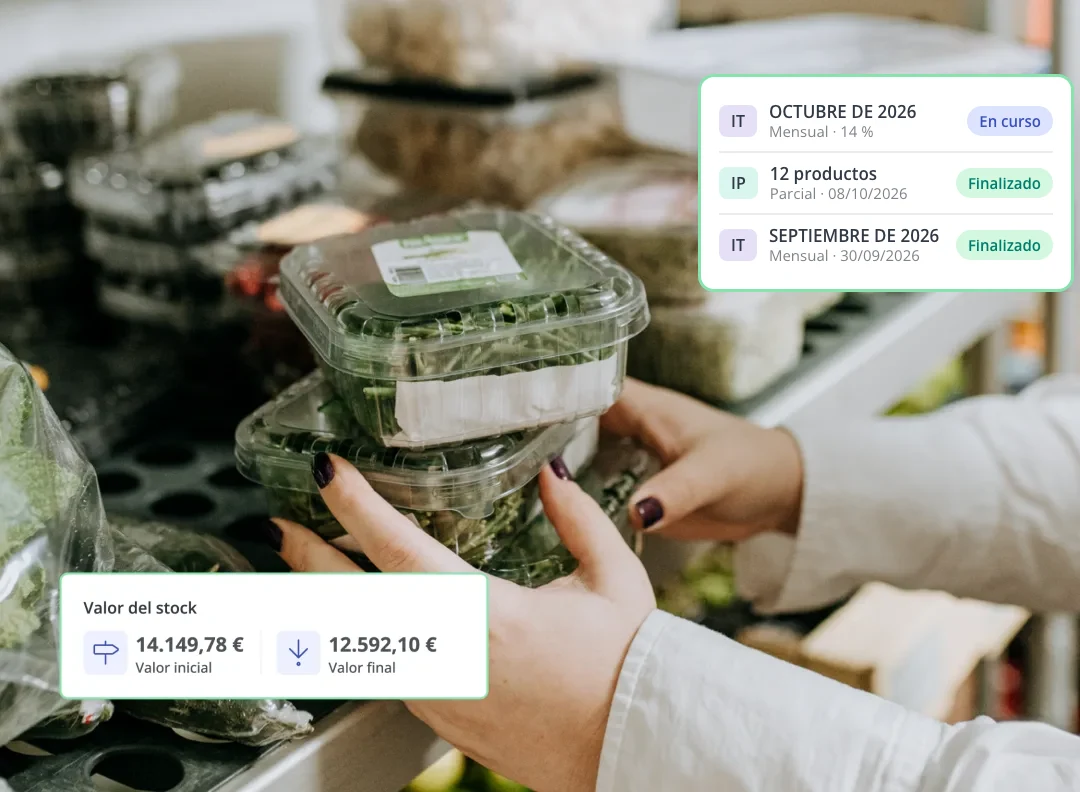
Spot losses before they reach your margin
less time spent managing inventories
savings on raw material consumption
Inventory
Take inventories faster and more accurately
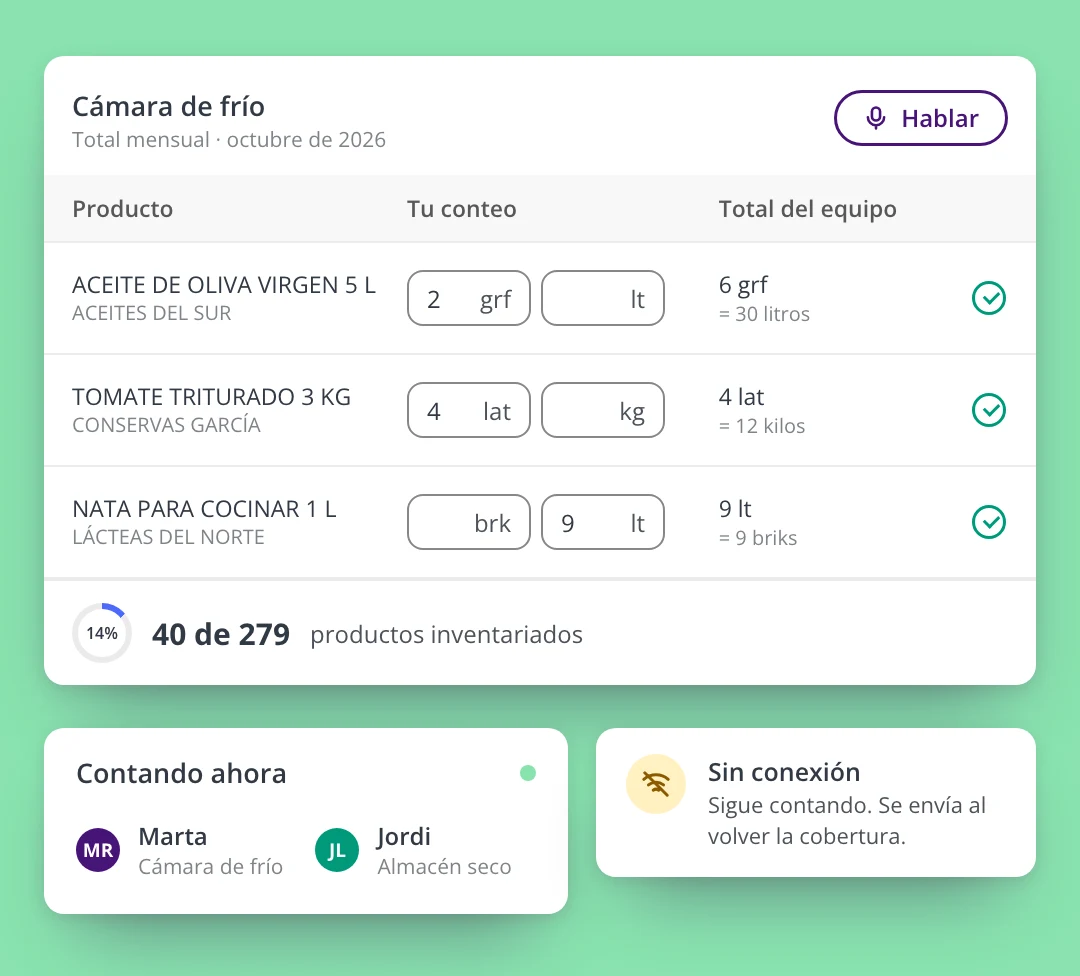
Your team counts. Prezo does the rest. Digitise counting by warehouse and location, in the format you prefer and offline too.
Before closing, review the value of each product and spot prices that don't add up. When you finish, stock adjusts itself.
- Full or partial stocktakesCount the whole restaurant or just one product family or supplier.
- Multi-warehouse managementCount by location and as a team, at the same time and by voice too.
- Count in any formatBoxes, units, jugs or litres. Prezo handles the conversions.
- Offline stocktakingKeep counting without coverage. Data syncs when you're back online.
- Price controlAlerts for unusual prices and four ways to value each product.
- Stocktake historyReopen a closed stocktake without losing the previous version and compare closings.
Stock report
Know the value and the real state of your stock
Get a complete view of your inventory to know its value, analyze how it evolves and make decisions with up-to-date information.
- Inventory valueCheck the value of your stock in euros and quantities for each period.
- Stock evolutionAnalyze how the inventory changes over time.
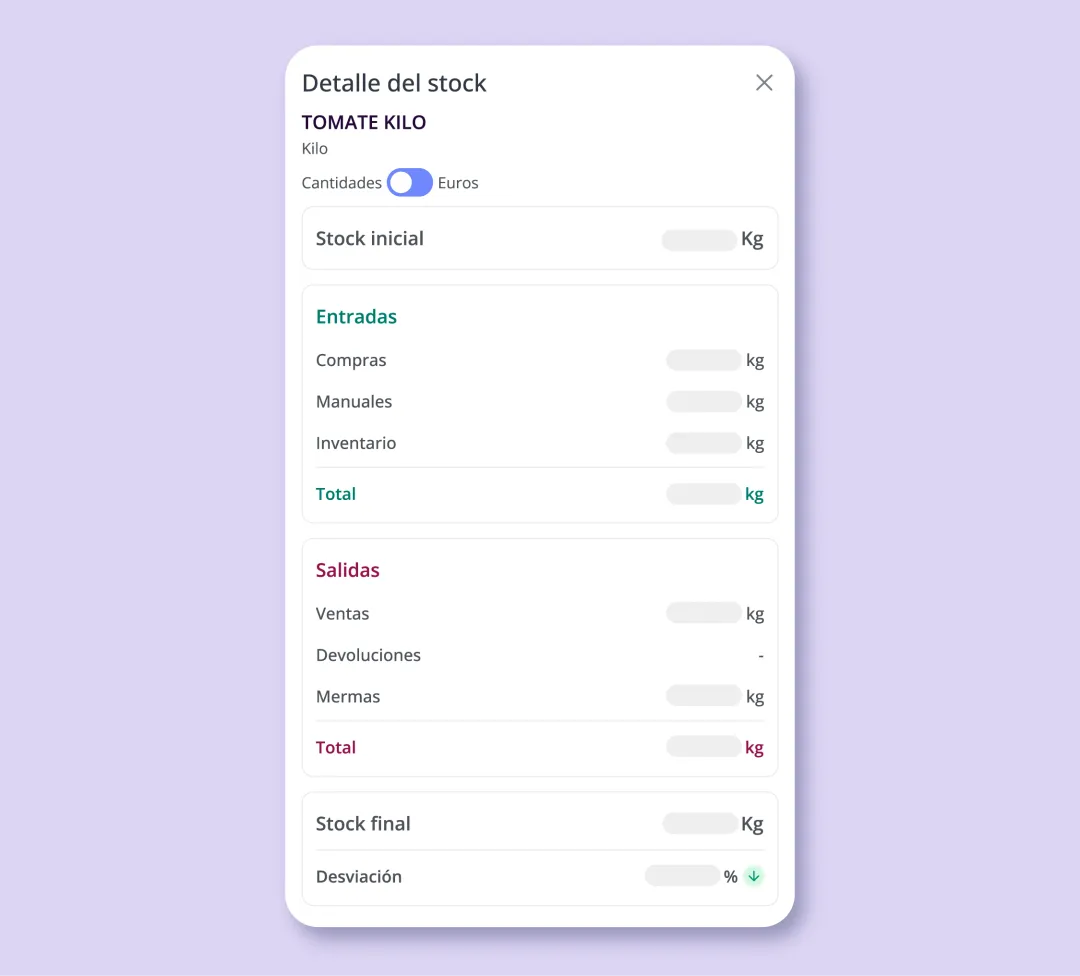
- Detail per productReview the inflows, outflows and variations of every product.
- Opening and closing stockCompare the inventory available at the start and at the end of each period.
- View by venueCheck the state of the stock of each location, warehouse or operating area.
Deviations & waste
Find out how much product you lose, and why
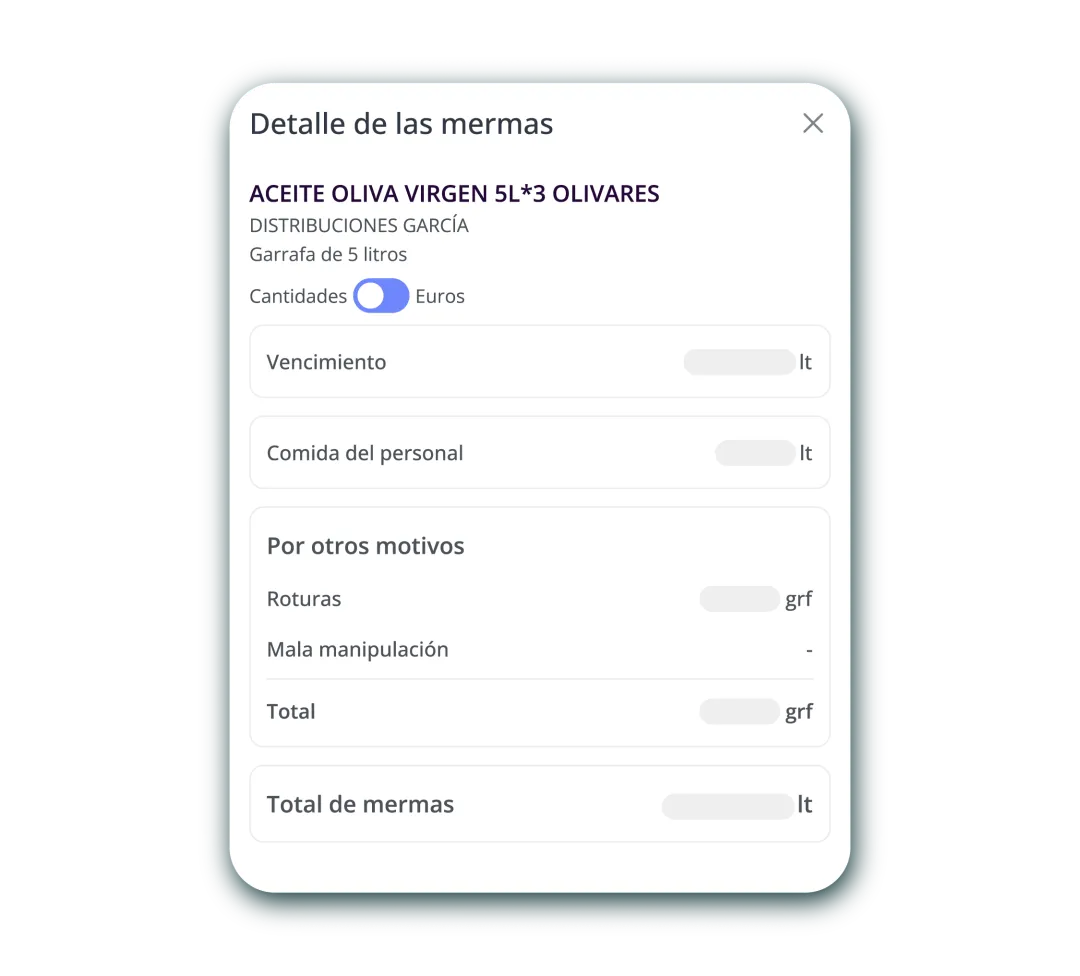
The waste report lets you quantify losses and understand where product is being wasted.
Prezo separates each outflow to identify whether the loss comes from expiry dates, internal consumption, operational errors or other causes.
- Waste per productCheck which products are being lost and in what quantity.
- Classification by causeTell expiry dates, internal consumption and other outflows apart.
- Financial impactSee waste in units and in euros.
- Pattern detectionIdentify products, areas or periods where losses keep repeating.
- Data-driven decisionsAct on the causes that hit your costs directly.
Theoretical vs actual
Compare theoretical consumption with actual consumption
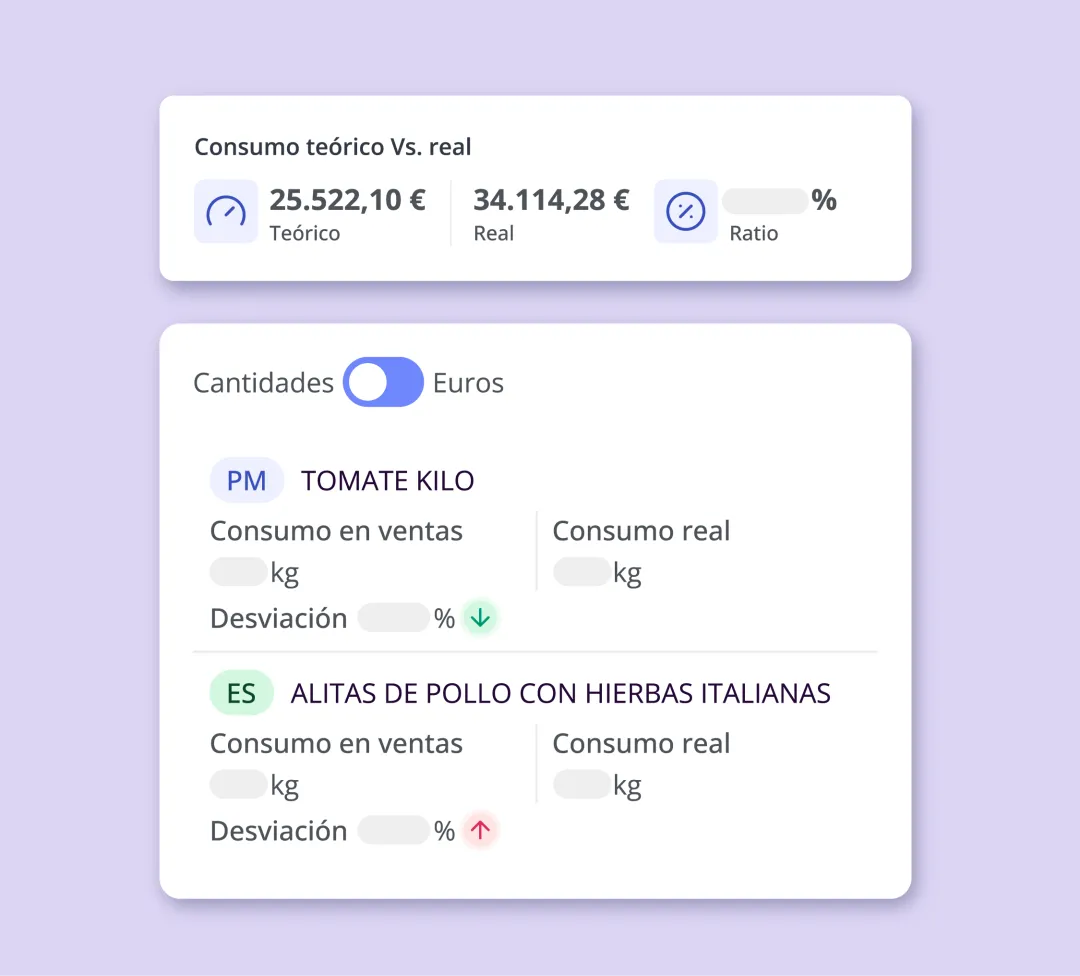
Prezo cross-checks sales and recipe cost cards against real inventory movements to spot the difference between what should have been consumed and what actually left your stock.
- Theoretical consumptionCalculate what should have been used according to recipes and recorded sales.
- Actual consumptionAnalyze the quantity that really left the inventory.
- Deviations per productSpot differences between expected and actual consumption.
- Hidden lossesIdentify waste, execution errors or unrecorded outflows.
- Operational analysisPinpoint where the operation is eroding your margin.

What you don't control ends up becoming a loss
With Prezo you can know what product you have, what it is worth, how it is being consumed and where the deviations happen. Turn stock management into a source of information to cut waste and protect the profitability of your business.
Find out howFrequently Asked Questions
Everything you want to know about Logistics
Yes. As well as full stocktakes, you can run partial stocktakes with only the products you choose, such as one product family or supplier.
Yes. If you lose coverage, keep counting as normal. Prezo saves what you enter on your device and sends it when the connection is back.
Yes. You see who is counting at any moment and how much the team has counted of each product.
Yes. You reopen it stating the reason and it goes back to draft with the counted quantities. The previous closing is kept in the version history.
Yes. Download the template, fill in the quantities and upload it to the open stocktake. It accepts XLSX, XLS, ODS and CSV.
Yes. Count each product in whichever format is most convenient, such as boxes, units, jugs or litres, and Prezo handles the conversions.
Yes. Tap Talk, say the product and the quantity, and Prezo records it on the count sheet.
Yes. Prezo lets you control each warehouse or stock area independently.
The platform records and classifies product outflows, which lets you analyze losses by product, cause, quantity and financial impact.
Theoretical consumption is what should be used according to recipes and sales. Actual consumption is what really left the inventory.
Theoretical stock is the quantity that should remain according to the recorded movements. Actual stock is the physical quantity counted during the inventory.
Kitchen mates
By restaurateurs, for restaurateurs





Prezo, all connected